
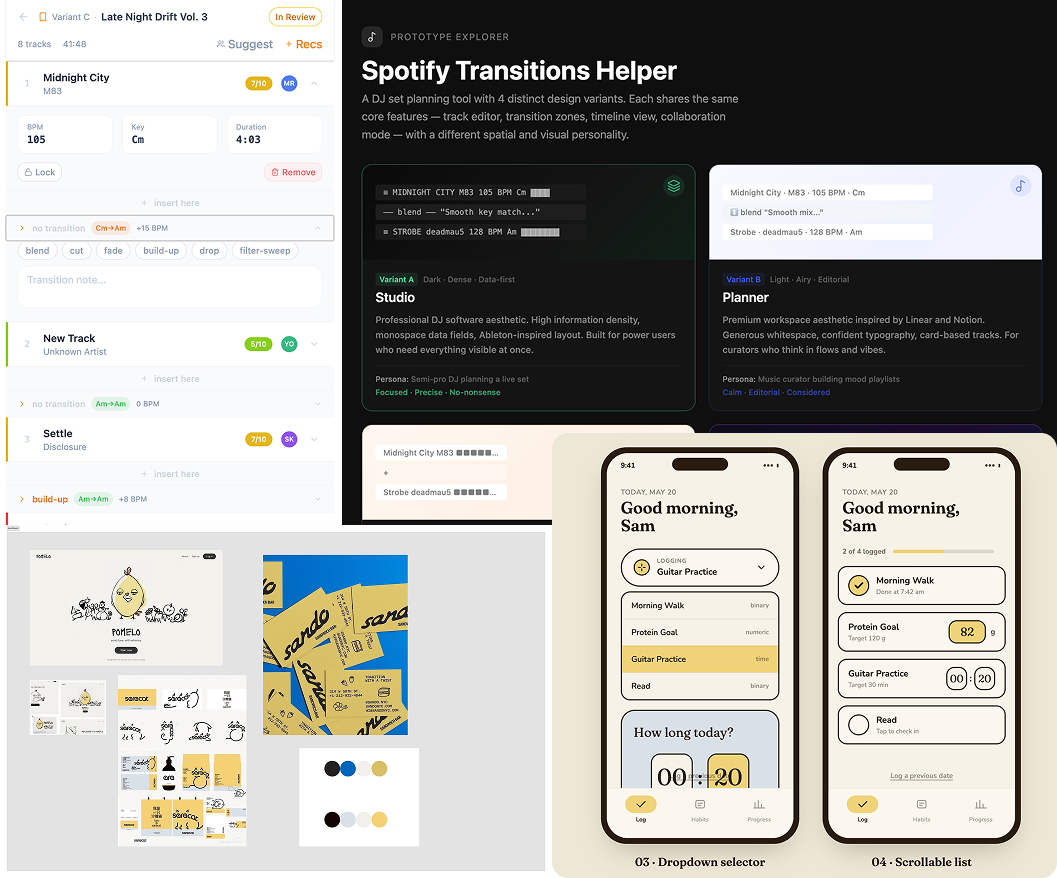
spotify transitions
Spotify Transitions Helper
Spotify Transitions Helper
I've been fixated on Spotify's Mix feature — the one where you can set custom transitions between songs on mobile. It feels like a DJ tool hiding inside a consumer app, and I've been spending way too much time with it.
The context: I was building a Trolls × Pitbull playlist for a friend's themed birthday party. Five-plus hours long. Along the way I kept running into the same friction: no good way to organize songs by feel, no way to see energy flow across a full playlist, no way to annotate why a specific transition worked. Spotify's tools for this are scattered and underpowered.
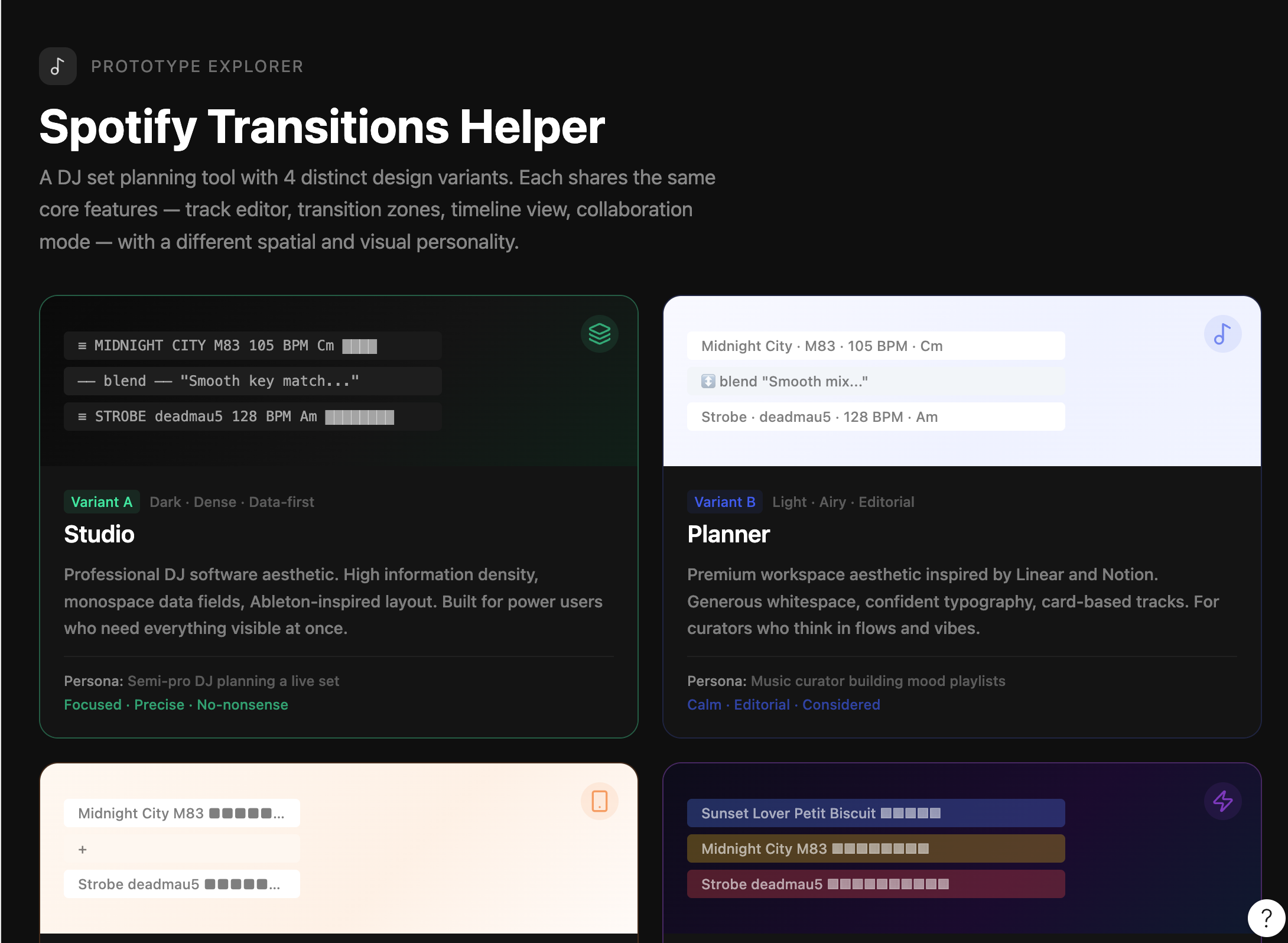
So I tried something: instead of designing a solution from scratch, I wrote a detailed prompt and let Claude/Figma Make generate four complete layout variants of a Transitions Helper tool — each with a different spatial and visual personality. The prompt specified every feature (track list editor, transition annotation slots, energy visualization, collaboration layer) and constrained the variants to different user personas: Studio (data-dense, Ableton-like), Planner (airy, editorial), Mobile First (gesture-friendly), and a fourth free variant.
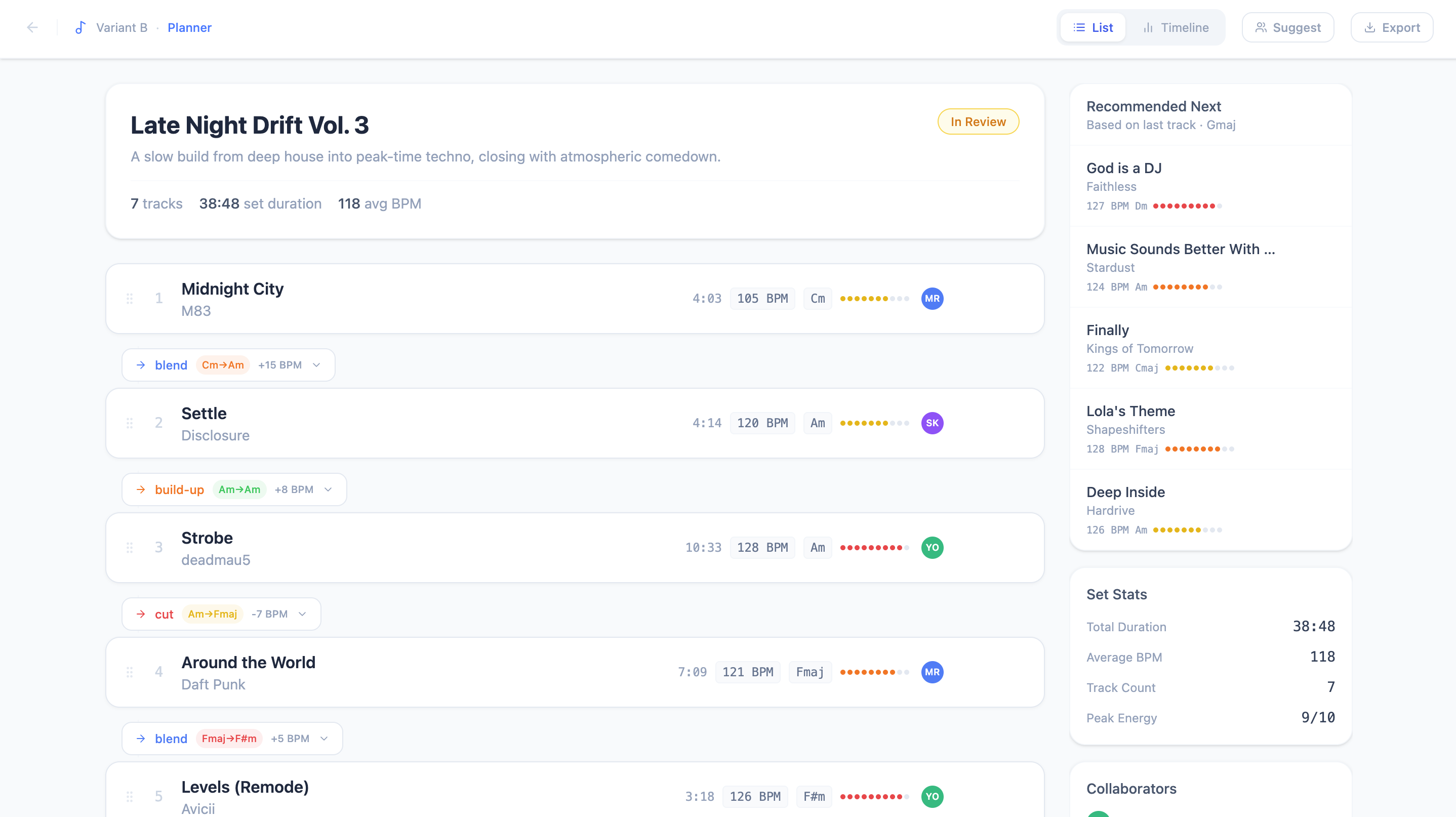
The most interesting output was Variant B — the Planner. Light, whitespace-heavy, editorial. It organizes tracks and transition notes as a vertical document rather than a data table, which turned out to match how I actually think about a playlist: not as rows in a spreadsheet but as a narrative arc.
The takeaway wasn't the specific designs — it was the prompt. Writing a precise, constraint-rich brief forced me to articulate the actual design problem before generating anything. The output is only as good as the constraints, and most of the value was in the process of writing them.
checken
Checken
Checken
Most habit apps are built around streaks, badges, and pressure. Miss a day, break your chain, feel bad. The anxiety of breaking a streak is real — and it's the wrong motivation for building actual habits.
Checken is my attempt at an alternative: a calm, minimalist iOS habit tracker that encourages without pressuring. The name is a portmanteau of "check-in" and "chicken." The mascot is a small, round, hand-drawn chicken whose wing doubles as a checkmark. The tone is Duolingo's warmth but quieter and less pushy — approachable, a little playful, not relentless.
The design problem I was actually solving
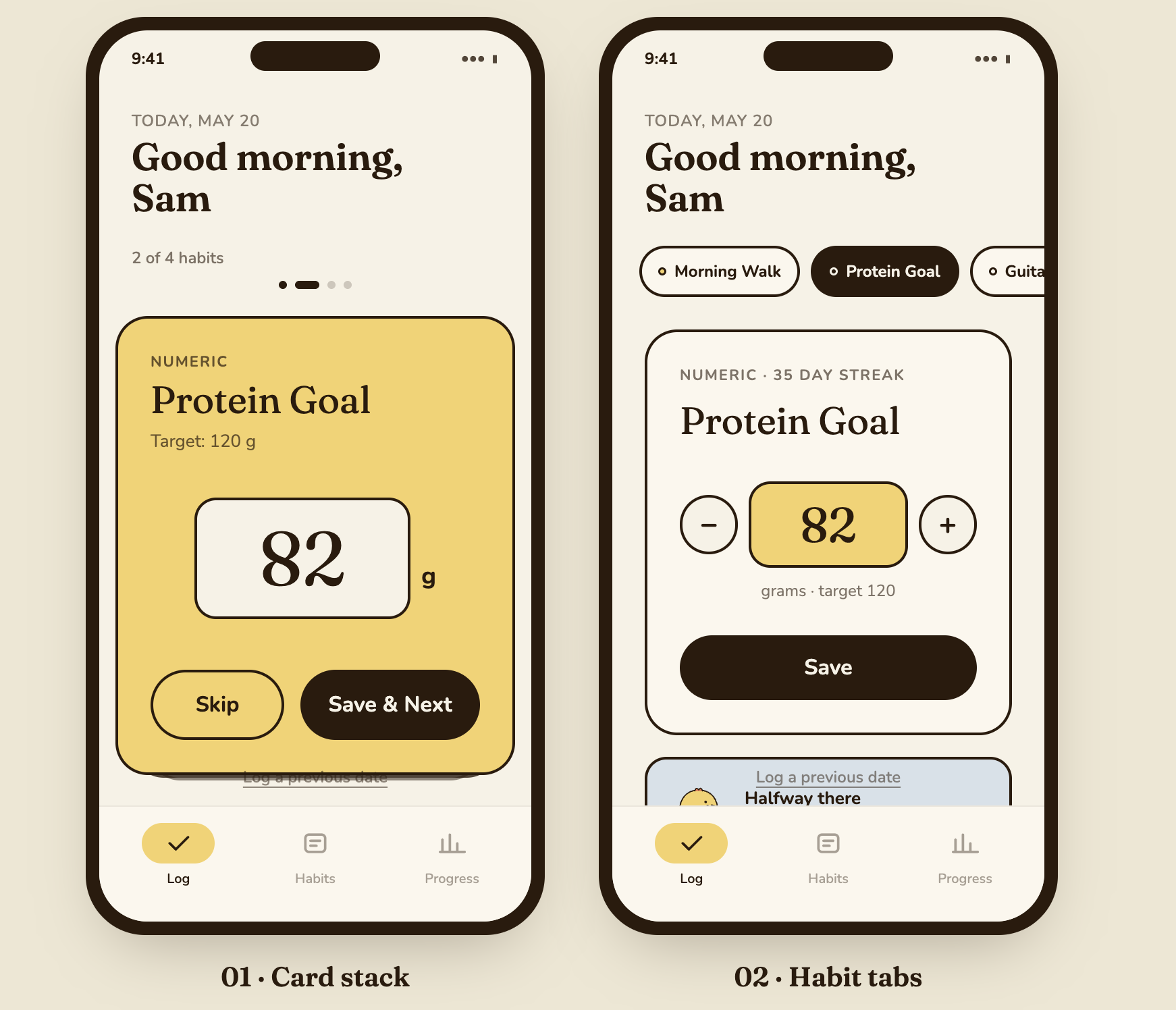
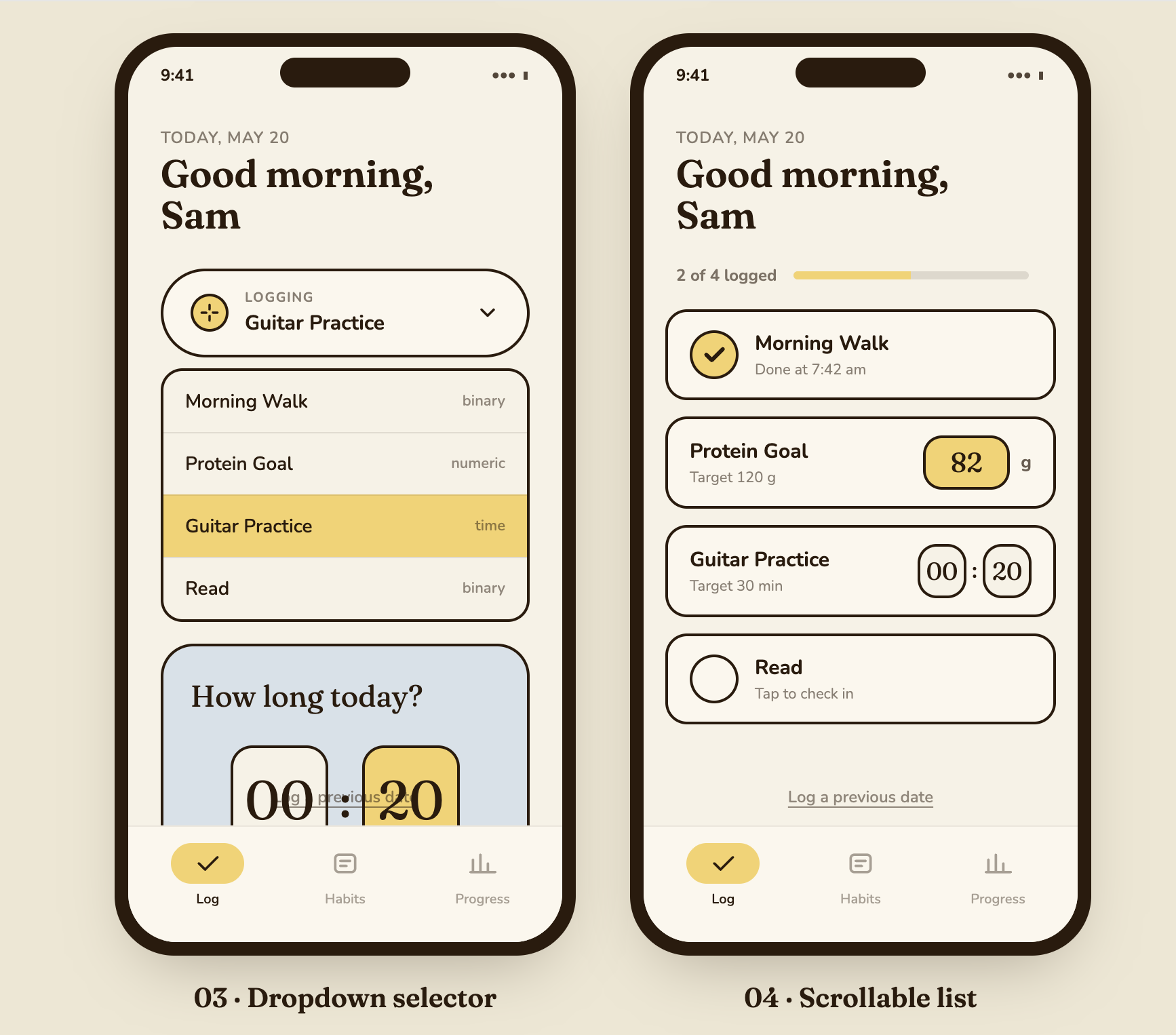
Before touching visuals, I had to figure out a core navigation challenge: how do you log multiple different habits in a single session without the interface feeling cluttered or overwhelming? I explored four layout options, each with a different answer:
- Card stack — one habit at a time as a card, tapped through sequentially. Focused but linear.
- Habit tabs — horizontal tabs near the top, one per habit. Fast switching, but gets crowded with many habits.
- Dropdown selector — single screen, a pill at the top to choose which habit to log. Clean but adds a selection step.
- Scrollable list with inline inputs — all habits visible at once, each as a compact row with its input type inline. Dense but complete.
The habits themselves needed three input types: binary (did-it-or-didn't, large friendly checkbox), numeric (e.g. protein grams, steps), and time-based (minutes practiced). Each layout had to handle all three legibly.
Visual system
The brand explores two palette directions. Sando goes vibrant — blue and warm gold on cream. Saracat softens it — pastel blue, gentle gold, more muted. Both use Fredoka for display moments (mascot name, empty states, encouragement copy) and DM Sans for UI and body text. Rounded corners everywhere, soft shadows, generous whitespace.
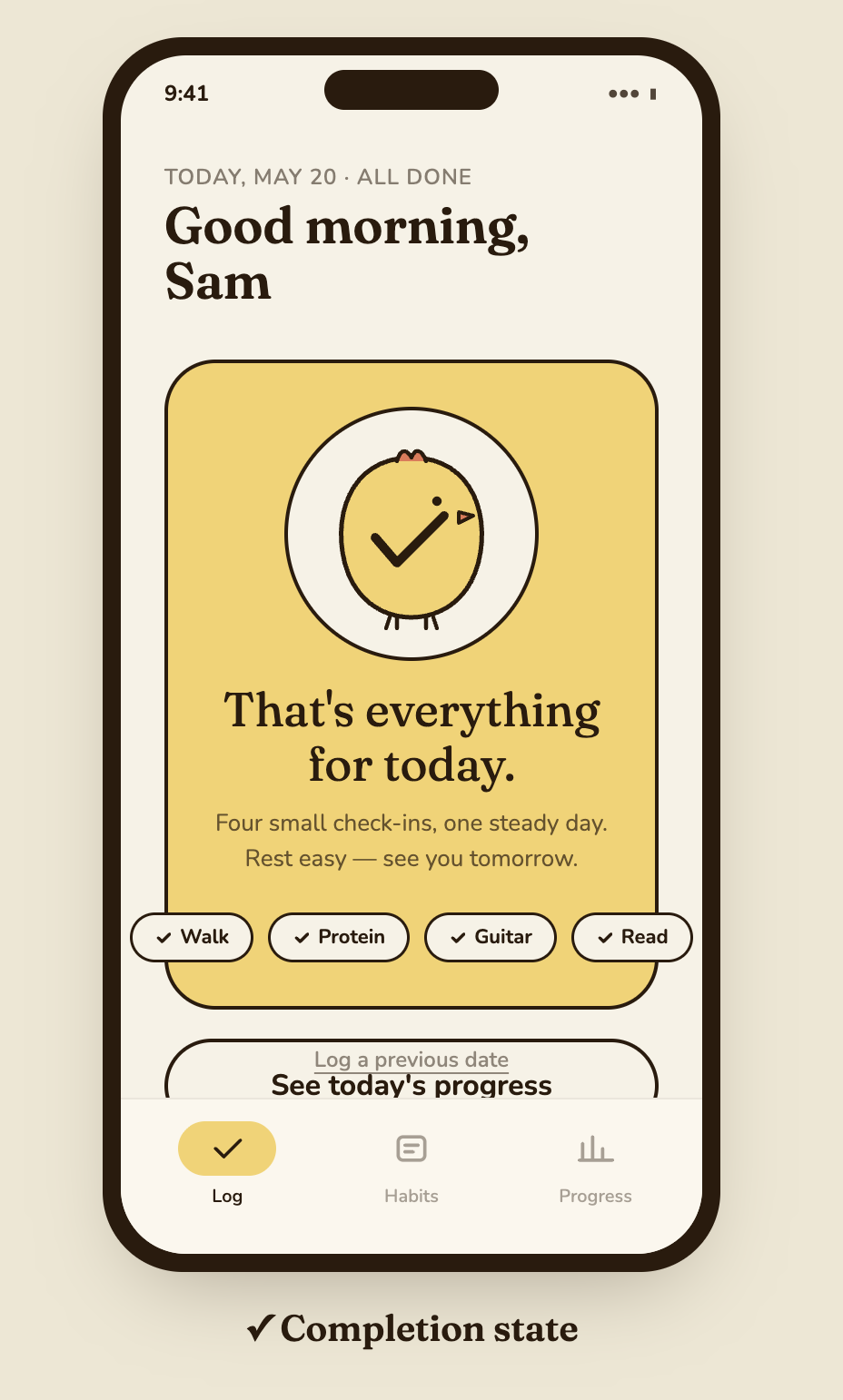
The completion state — when all habits for the day are logged — surfaces the chicken mascot with a short encouraging message. No confetti cannon, no streak count. Just a small moment of warmth.
This is still a brand concept more than a shipped product. The flows for habit creation and historical tracking aren't designed yet. But the core question — can a habit tracker feel calm? — feels worth pursuing further.
field notes
Field Notes
Still accumulating. The main thread I keep returning to: AI tools are better at generating constraints than generating solutions. Asking "what should this design do?" produces generic output. Asking "what constraints should this design operate within, and why?" produces something you can actually build from.
The Spotify prompt was 1,400 words before I generated anything. That's not a prompt — that's a brief. Writing it was most of the design work.